
Key Takeaways
- AI-native SaaS products build AI into core workflows rather than treating it as an add-on feature.
- AI agents can use tools, business data, and APIs to complete multi-step tasks.
- RAG helps SaaS applications provide responses based on relevant and current business information.
- Workflow automation combines AI reasoning with business rules, integrations, and approval controls.
- Security, data governance, testing, and continuous monitoring are essential for reliable AI-native SaaS products.
How to Build AI-Native SaaS Products With Agents, RAG & Workflow Automation
SaaS products are evolving from traditional software platforms into intelligent systems that can understand information, make decisions, and complete tasks with limited human intervention. AI-native SaaS products take this approach further by building artificial intelligence into the core architecture rather than adding it as a standalone feature.
AI agents, retrieval-augmented generation (RAG), large language models, and workflow automation are becoming key components of these applications. Together, they can help SaaS platforms retrieve business-specific information, reason through tasks, interact with external systems, and automate multi-step workflows.
For businesses, this can create SaaS products that do more than display dashboards or process user inputs. An AI-native platform can analyse data, recommend actions, execute approved tasks, and continuously support users across different workflows.
However, building such products requires more than connecting an LLM to an application. Developers need to design reliable agent architectures, establish secure data retrieval systems, manage AI workflows, and create appropriate safeguards for automated actions.
This guide explains how to build AI-native SaaS products using agents, RAG, and workflow automation, along with the technologies, development stages, security considerations, challenges, costs, and timelines involved.
What Makes a SaaS Product AI-Native in Modern Business?
An AI-native SaaS product is designed around AI capabilities from the beginning rather than treating artificial intelligence as an optional add-on. Its core workflows, data architecture, and user experience are structured to support intelligent decision-making and automation.
AI at the Core of Product Workflows
AI can participate directly in tasks such as analysing documents, answering business questions, generating recommendations, classifying information, or completing routine operations.
Context-Aware Intelligence
Instead of relying only on a general-purpose model, AI-native SaaS applications can connect models with company data, user permissions, business rules, and application context. This allows responses and actions to be more relevant to the specific workflow.
Autonomous Task Execution
AI agents can break complex requests into smaller steps, use available tools, and execute approved actions. For example, an agent could analyse a support request, retrieve relevant customer information, create a response, and update a CRM record.
Continuous Automation
AI-native products can combine AI reasoning with predefined workflows and business rules. This makes it possible to automate processes while keeping human approval points where they are necessary.
A SaaS development company can help design this architecture so that AI capabilities remain integrated with the product's core services instead of functioning as isolated features.
Core Components of a Scalable AI-Native SaaS Architecture
An AI-native SaaS platform typically combines several interconnected layers rather than relying on a single AI model. Each layer has a specific role in processing information, generating responses, and executing business tasks.
AI Agent Layer
AI agents handle goal-oriented tasks by reasoning through requests, selecting appropriate tools, and performing multiple steps. They can be designed for functions such as customer support, sales operations, research, or internal business workflows.
LLM Layer
Large language models provide capabilities such as natural-language understanding, generation, summarisation, classification, and reasoning. Applications can use one or multiple models depending on their performance, cost, and task requirements.
RAG and Knowledge Layer
RAG connects the application to trusted business information. Documents and other data can be processed, embedded, stored in a vector database, and retrieved when relevant information is required.
Data and Application Layer
This layer contains databases, user information, business rules, APIs, and existing SaaS functionality. It provides the context that AI components need to operate within the product.
Workflow and Orchestration Layer
An orchestration layer coordinates agents, APIs, business rules, human approvals, and automated actions. It helps control how individual AI tasks become complete business workflows.
The right software development technologies should be selected based on the product's AI requirements, data volume, security needs, scalability, and integration environment.
How AI Agents Work Inside SaaS Products and Automate Workflows
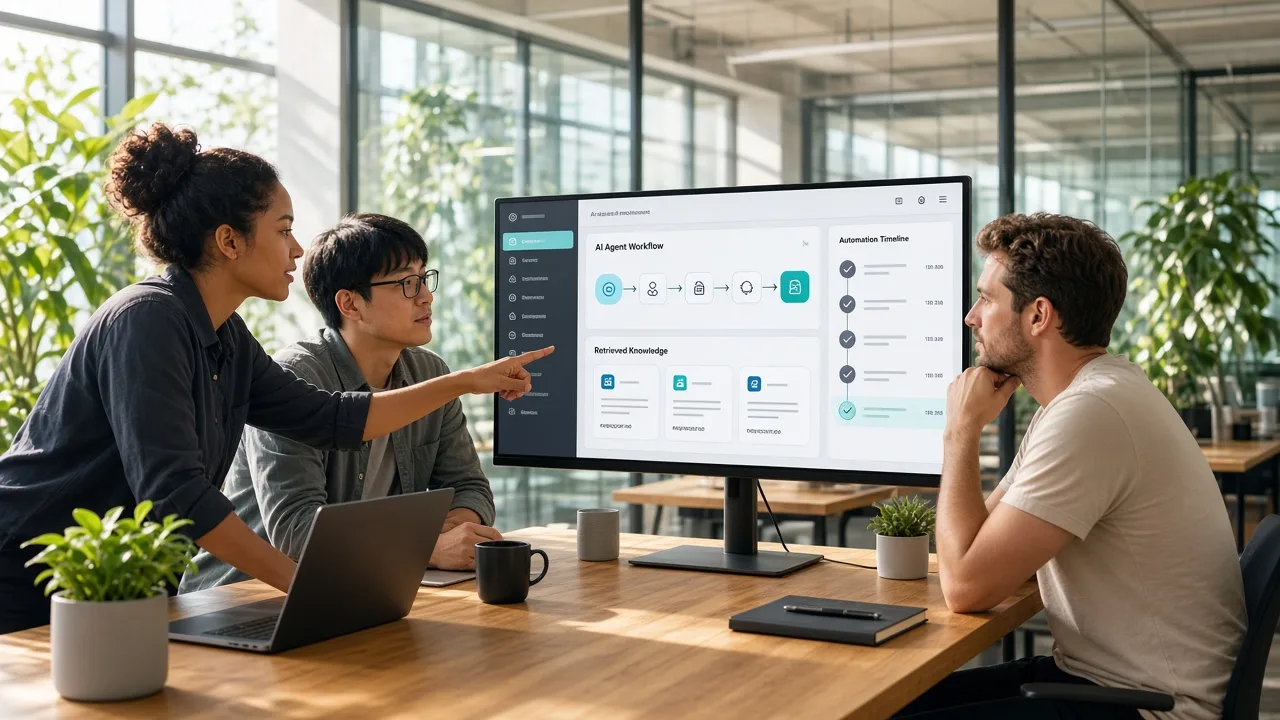
AI agents allow SaaS applications to move beyond simple question-and-answer interactions. Instead of only generating text, an agent can interpret a goal, determine the steps required, access approved tools, and complete actions within the application.
1. Understand the User Request
The agent receives a natural-language request and identifies the user's objective, relevant information, and required outcome.
2. Plan the Required Actions
The agent breaks the objective into smaller tasks and determines which tools, APIs, databases, or knowledge sources are needed.
3. Retrieve Relevant Information
When additional context is required, the agent can query application databases or a RAG system to obtain relevant information.
4. Use Tools and APIs
Agents can interact with approved tools such as CRM systems, calendars, payment services, analytics platforms, or internal APIs.
5. Complete and Verify the Task
After performing the required actions, the agent can check the results and return a response or request human approval when an action has a higher business impact.
An AI agent development company can help businesses design agent architectures with appropriate tool permissions, memory, monitoring, and human-in-the-loop controls instead of allowing unrestricted autonomous actions.
Using RAG to Give SaaS Products Reliable and Relevant Business Context
Large language models can generate useful responses, but they may not have access to a SaaS product's latest or private business information. Retrieval-augmented generation (RAG) addresses this by retrieving relevant information from approved data sources before generating a response.
How RAG Works
A typical RAG pipeline starts by collecting documents, knowledge-base articles, product records, or other business data. The content is divided into smaller sections and converted into vector embeddings, which are stored in a vector database.
When a user submits a query, the system converts the query into an embedding and searches for relevant information. The retrieved content is then provided to the LLM as context, allowing it to generate a response based on the available business data.
Why RAG Matters for SaaS
RAG can help AI-native SaaS applications answer questions using current product information, internal documentation, customer records, or industry-specific knowledge. It can also reduce the need to retrain an entire model whenever business information changes.
An LLM application development company can help design RAG pipelines with appropriate data chunking, retrieval strategies, access controls, evaluation methods, and model integration to improve response quality and reliability.
How Workflow Automation Powers AI-Native SaaS Applications
Workflow automation allows AI-native SaaS products to connect intelligent decision-making with real business actions. Instead of stopping after generating a response, an AI system can trigger predefined steps, communicate with other applications, and complete routine processes.
Automating Repetitive Business Tasks
AI can automate workflows such as lead qualification, customer support routing, document processing, report generation, appointment scheduling, and internal notifications. This reduces manual effort and keeps routine processes consistent.
Combining AI With Business Rules
Not every decision should be left entirely to an AI model. Developers can combine AI-generated recommendations with predefined rules, approval stages, and permission controls. This creates workflows where AI handles flexible tasks while business logic controls critical actions.
Connecting External Applications
AI-native SaaS platforms can use APIs to connect with CRMs, project-management tools, communication platforms, payment systems, and other business applications. Agents can then retrieve information or trigger approved actions across these systems.
AI automation services can support the design of these workflows, including process mapping, AI integration, API orchestration, monitoring, and human-approval mechanisms.
How to Build an AI-Native SaaS Product: Step-by-Step Development Process
Building an AI-native SaaS product requires a structured approach because AI components need to work alongside the application's core functionality, databases, APIs, and business workflows.
1. Define the Product Use Case
Identify the target users, business problems, AI capabilities, and workflows the product needs to support.
2. Map AI-Driven Workflows
Determine where agents, RAG, LLMs, and automation can provide practical value. Define which tasks require AI reasoning and which should follow fixed business rules.
3. Plan the Product Architecture
Design the application, AI, data, API, and workflow layers. Establish how agents will communicate with databases, tools, and external services.
4. Prepare Business Data
Collect and organise documents, databases, knowledge bases, and other information required for AI features. Define permissions and data-access policies.
5. Develop the Core SaaS Platform
Build user accounts, dashboards, subscriptions, business logic, databases, APIs, and other foundational SaaS functionality.
6. Integrate LLMs and RAG
Connect suitable language models and implement retrieval pipelines for accessing relevant business information.
7. Develop and Connect AI Agents
Create agents for specific tasks and provide controlled access to approved tools, APIs, and application functions.
8. Implement Workflow Automation
Connect AI decisions with predefined workflows, external services, notifications, and human approval stages.
9. Test AI and Application Performance
Evaluate response quality, retrieval accuracy, agent behaviour, security, latency, scalability, and failure scenarios.
10. Deploy, Monitor, and Improve
Deploy the platform, monitor AI and application performance, track usage and costs, and continuously improve models, prompts, retrieval, and workflows.
Following a clear software development process helps keep AI experimentation aligned with product requirements while reducing unnecessary development complexity.
Choosing the Right Technology Stack for AI-Native SaaS Development
The technology stack for an AI-native SaaS product needs to support application development, LLM integration, data retrieval, agent orchestration, automation, and secure cloud infrastructure.
| Technology Layer | Common Technologies | Primary Purpose |
|---|---|---|
| Frontend | React.js, Next.js, Angular | SaaS dashboards and user interfaces |
| Backend | Node.js, Python, FastAPI, Django | APIs, business logic, and AI services |
| AI/LLM | OpenAI, Anthropic, Gemini, open-source LLMs | Generation, reasoning, and natural-language processing |
| RAG | LangChain, LlamaIndex | Retrieval and LLM orchestration |
| Vector Database | Pinecone, Weaviate, Qdrant, pgvector | Storing and searching embeddings |
| Agent Frameworks | LangGraph, AutoGen, custom agent systems | Agent planning and tool execution |
| Database | PostgreSQL, MySQL, MongoDB | Application and business data |
| Cloud | AWS, Azure, Google Cloud | Hosting, storage, scaling, and infrastructure |
| Automation | Webhooks, queues, workflow engines, APIs | Connecting automated business processes |
The final stack should be selected according to the product's complexity, data requirements, expected traffic, AI workloads, and integration needs. A modular architecture also makes it easier to replace models or infrastructure components as the product evolves.
When a SaaS product includes mobile interfaces for customers or employees, a mobile app development company can also support the development of connected mobile applications that communicate with the same backend and AI services.
How to Design AI Agents for Smarter SaaS Workflows
AI agents should be designed around clearly defined business tasks rather than being given unrestricted access to an entire SaaS platform. A well-designed agent combines a specific objective with the right tools, context, permissions, and safeguards.
Define Clear Agent Roles
Each agent should have a focused responsibility, such as handling customer support requests, reviewing documents, qualifying leads, or preparing reports. Narrow roles make agent behavior easier to test and monitor.
Give Agents Controlled Tool Access
Agents may need access to APIs, databases, search systems, CRM platforms, or communication tools. Permissions should be limited to the actions required for their assigned workflow. Sensitive actions, such as financial transactions or account changes, should require additional authorization.
Manage Context and Memory
Agents need relevant information to complete tasks effectively. Short-term conversation context, retrieved business data, and carefully managed memory can help maintain continuity without exposing unnecessary information.
Add Human Approval and Guardrails
Not every action should be fully autonomous. High-impact workflows can include approval checkpoints, validation rules, fallback procedures, and activity logs before an agent completes an action.
Monitor Agent Performance
AI agents should be continuously evaluated for accuracy, tool usage, response quality, and workflow completion. Monitoring helps teams identify failures and improve prompts, retrieval strategies, tools, and agent logic over time.
Integrating LLMs, APIs, and External Business Systems in AI-Native SaaS
An AI-native SaaS product becomes more useful when its AI models can interact with the systems where business operations actually happen. LLMs can handle reasoning and content generation, while APIs provide controlled access to external tools and services.
Connect LLMs to Application Workflows
LLMs can be integrated into features such as document analysis, customer support, recommendations, summarization, and data classification. The application should determine when an AI model is needed and what information can be passed to it.
Use APIs for Tool-Based Actions
Agents can use APIs to retrieve or update information in CRM, ERP, payment, communication, project management, and other business platforms. API permissions should be limited according to the agent's role and workflow requirements.
Add Validation Before External Actions
AI-generated instructions should not automatically trigger sensitive operations. Validation rules, structured tool calls, authentication, and approval steps can help prevent incorrect actions from reaching external systems.
Maintain Reliable Data Exchange
Webhooks, queues, event-driven services, and retry mechanisms can help maintain communication between the SaaS platform and connected applications. Proper logging also makes it easier to identify failed integrations and troubleshoot workflow issues.
Key Security, Privacy, and Data Governance Considerations for AI-Native SaaS
AI-native SaaS platforms often process sensitive business information, making security and data governance important throughout development and deployment. Protecting the application requires controls across user data, AI models, agents, APIs, and infrastructure.
Protect Business and User Data
Use encryption for data in transit and at rest, secure authentication, role-based access controls, and appropriate data isolation between SaaS customers. Multi-tenant architectures should prevent one customer's information from being exposed to another.
Control AI and Agent Access
Agents should only access the data and tools required for their assigned tasks. Sensitive operations can require user confirmation, while API credentials and secrets should be securely stored rather than included directly in prompts or application code.
Establish Data Governance
Teams should define how business data is collected, stored, retrieved, retained, and deleted. RAG systems should also respect existing user permissions when retrieving information from internal knowledge sources.
Monitor and Audit AI Activity
Logs should capture important agent actions, tool calls, authentication events, and workflow outcomes. Regular testing can help identify unauthorized access, data leakage, prompt injection risks, and unexpected agent behavior.
Common Challenges in Building and Scaling AI-Native SaaS Products
Building an AI-native SaaS product involves challenges that go beyond conventional software development. Teams need to manage both traditional application requirements and the unpredictable nature of AI systems.
AI Reliability
LLMs can sometimes generate inaccurate or inconsistent outputs, requiring evaluation, validation, and fallback mechanisms.
Data Quality
Poorly structured, outdated, or incomplete business data can reduce the effectiveness of RAG and AI workflows.
Agent Control
Autonomous agents need carefully defined permissions and boundaries to prevent unintended actions.
Integration Complexity
Connecting AI agents with CRMs, ERPs, payment systems, and other applications can require extensive API and workflow coordination.
Scalability and Cost
Increasing users, model calls, data retrieval, and automated workflows can raise infrastructure and AI usage costs.
Security and Privacy
Sensitive business information requires strong access controls, encryption, monitoring, and appropriate data governance.
Continuous Maintenance
Models, prompts, integrations, retrieval systems, and agent workflows need regular testing and improvement as the product evolves.
AI-Native SaaS Development: Cost, Timeline, and Key Factors
The cost of building an AI-native SaaS product depends on its feature set, AI model requirements, agent complexity, data architecture, integrations, security requirements, and expected user volume. A product with basic AI features will generally require less development effort than a platform with multiple autonomous agents, advanced RAG, and complex business integrations.
| AI-Native SaaS Scope | Estimated Cost | Development Timeline |
|---|---|---|
| Basic AI SaaS MVP | $10,000–$25,000 | 2–4 months |
| RAG-Based SaaS Platform | $25,000–$45,000 | 4–6 months |
| Agent-Powered SaaS | $45,000–$70,000 | 5–8 months |
| Advanced Enterprise AI SaaS | $70,000–$100,000+ | 8–12+ months |
Additional costs may come from LLM API usage, vector databases, cloud infrastructure, third-party APIs, security systems, monitoring tools, and ongoing maintenance. The final budget should therefore account for both initial development and recurring AI infrastructure expenses.
Conclusion
Building an AI-native SaaS product requires more than adding an LLM to an existing application. AI agents, RAG, workflow automation, APIs, and strong data architecture need to work together as part of a reliable product ecosystem.
A structured development approach can help businesses move from identifying suitable AI use cases to designing agents, connecting business data, automating workflows, testing performance, and establishing security controls. With the right architecture and continuous monitoring, AI-native SaaS products can support more intelligent, context-aware, and automated business operations while remaining scalable as user and data requirements grow.
Frequently Asked Questions
What is an AI-native SaaS product?
An AI-native SaaS product is a cloud application designed with AI as a core part of its workflows, architecture, and user experience.
How do AI agents work in SaaS applications?
AI agents understand tasks, retrieve relevant information, use approved tools or APIs, and complete multi-step workflows based on defined rules.
What is RAG in AI-native SaaS development?
RAG allows an AI application to retrieve relevant information from business data sources and use that context to generate more relevant responses.
How much does it cost to build an AI-native SaaS product?
Development can range from around $10,000 to $100,000+, depending on features, AI complexity, integrations, security, and scalability requirements.
How long does AI-native SaaS development take?
A basic AI SaaS MVP may take 2–4 months, while advanced enterprise platforms can require 8–12+ months.
Which technologies are used to build AI-native SaaS products?
Common technologies include Python, Node.js, React, LLM APIs, vector databases, RAG frameworks, agent frameworks, cloud platforms, and workflow automation tools.
Can AI agents connect with external business systems?
Yes. AI agents can connect with CRMs, ERPs, payment platforms, communication tools, and other applications through APIs and approved integrations.
How can AI-native SaaS products be secured?
Security can be improved through encryption, role-based access, controlled agent permissions, secure API credentials, data isolation, monitoring, and regular testing.