
Key Takeaways
- AI agent observability provides visibility into model calls, tool usage, workflow steps, errors, and outcomes.
- Tracing and metrics help debugging by showing where autonomous workflows fail or become inefficient.
- Runtime controls improve agent safety through limits, approvals, policies, and monitoring.
- Quality and business KPIs matter alongside technical metrics such as latency, cost, and error rates.
- Secure telemetry is essential because agent logs and traces may contain sensitive business or customer information.
AI Agent Observability: How to Monitor, Debug, and Control Autonomous Workflows
AI agents can perform multi-step tasks, use external tools, access business systems, and make decisions with limited human intervention. As these workflows become more autonomous, traditional application monitoring alone may not provide enough visibility into what the agent is doing or why it reached a particular outcome.
AI agent observability provides a way to monitor agent decisions, tool calls, workflow steps, model interactions, errors, latency, and other operational signals. It helps businesses understand how autonomous workflows perform and identify problems that conventional application logs may not reveal.
Effective observability also helps control agent behavior. When an agent can interact with APIs, databases, documents, or other systems, teams need visibility into those actions so they can detect unexpected behavior, investigate failures, and improve the workflow.
This guide explains how to monitor and debug autonomous agents, which metrics to track, how observability differs from traditional application monitoring, and how organizations can build observability into their broader software development services and AI operations.
Why Observability Matters for AI Agent Performance and Reliability
An autonomous agent can take different paths to complete the same task. It may interpret an instruction, retrieve information, call several tools, revise its plan, and finally produce an outcome. Without sufficient observability, it can be difficult to determine what happened when the result is incorrect or unexpected.
Understand What the Agent Did
Observability can show the sequence of actions taken by an agent, including model calls, tool usage, retrieved information, workflow transitions, and final outputs.
Find Failures Faster
An agent may fail because of an incorrect model response, an unavailable API, bad input, a permission issue, or a tool error. Detailed traces can help teams identify where the workflow broke instead of investigating the entire system manually.
Improve Agent Performance
Observability data can reveal unnecessary tool calls, repeated steps, long response times, and workflows that frequently require human intervention. Teams can use these insights to improve prompts, tools, retrieval, and orchestration.
Control Autonomous Actions
Monitoring becomes particularly important when agents can modify records, send communications, process transactions, or trigger business workflows. Visibility into these actions helps teams establish appropriate approval and control mechanisms.
Measure Business Outcomes
Technical metrics alone do not show whether an agent is delivering value. Businesses can also monitor task-completion rates, escalation frequency, customer outcomes, and other workflow-level indicators.
Support Continuous Improvement
As models, prompts, tools, and business processes change, agent behavior can also change. Continuous observability helps teams identify regressions and validate whether new versions perform as expected.
Example: Customer Service Agent
A customer-service agent may retrieve an order, call a shipping API, check a return policy, and draft a response. If the answer is incorrect, observability can show whether the problem came from the model, retrieval step, API response, or business rule.
Organizations implementing AI automation services can therefore use observability as an operational feedback loop that connects agent behavior with reliability, security, and business performance.
Key Differences Between AI Agent Observability and Traditional Application Monitoring
Traditional application monitoring focuses mainly on whether software components are available and performing as expected. Teams typically track infrastructure health, application errors, API latency, database performance, and system logs.
AI agents require many of these same signals, but they also introduce a layer of non-deterministic behavior that needs additional visibility.
| Monitoring Area | Traditional Applications | AI Agents |
|---|---|---|
| System Health | CPU, memory, uptime, infrastructure | Same, plus agent runtime health |
| Application Errors | Exceptions and failed requests | Errors plus reasoning and tool failures |
| Request Tracing | API and service calls | Model calls, tool calls, retrieval, and workflow steps |
| User Input | Request parameters | Natural-language instructions and context |
| Decision Visibility | Usually deterministic logic | Model outputs, decisions, and action selection |
| Workflow State | Application state | Agent plans, task state, iterations, and handoffs |
| Output Quality | Usually validated by application rules | Requires evaluation of relevance, accuracy, and behavior |
| Cost Monitoring | Infrastructure and API costs | Infrastructure plus model and token usage |
Model and Tool Tracing
A conventional trace might show that an API request failed. An AI-agent trace should also help explain which model call led to the API call, which tool was selected, and what data was returned.
Monitoring Agent Decisions
Traditional applications generally follow predefined logic. Agents can select different tools or workflow paths based on the context. Monitoring these decisions can help teams understand unexpected behavior.
Tracking Workflow State
An autonomous workflow can involve multiple iterations and tool calls before completion. Observability should capture these transitions so teams can reconstruct the complete execution path.
Evaluating Output Quality
A technically successful execution does not necessarily mean the agent produced a useful answer. Organizations may need separate evaluations for factual accuracy, task completion, relevance, policy adherence, and escalation behavior.
Linking Technical and Business Signals
Traditional monitoring may show that an application is healthy while users are still experiencing poor results. AI-agent observability can connect technical data with outcomes such as successful task completion, human handoffs, or failed workflows.
For teams following a structured software development process, this broader visibility can help connect development, testing, deployment, and ongoing agent evaluation rather than treating observability as a separate operational task.
Core Pillars of AI Agent Observability for Reliable AI Systems
Effective AI agent observability combines several types of telemetry rather than relying on application logs alone. The goal is to create a complete view of how an agent receives instructions, reasons through a task, interacts with tools, and produces an outcome.
Traces
Traces show the complete execution path of an agent workflow. They can capture model calls, retrieval steps, tool invocations, API requests, retries, and workflow transitions in sequence.
Logs
Logs provide detailed records of important events, errors, policy decisions, tool failures, and system activity. Sensitive information should be excluded or appropriately protected.
Metrics
Metrics provide measurable indicators such as latency, task completion, error rates, token usage, tool-call frequency, and escalation rates. They make it easier to identify trends across large numbers of executions.
Evaluation
AI systems also need quality evaluation. Teams can assess whether responses are accurate, relevant, safe, grounded in trusted data, and successful in completing the intended task.
Cost Visibility
Agent workflows can trigger multiple model and tool calls. Monitoring model usage, tokens, API calls, and infrastructure consumption helps businesses understand the cost of individual workflows and identify inefficient execution patterns.
Workflow and Context Tracking
Observability should preserve enough context to reconstruct what happened during a task, including the workflow state, selected tools, retrieved information, and major transitions.
Human Oversight Signals
Human approvals, overrides, escalations, and rejected agent actions can provide useful signals about where autonomous workflows need stronger controls or better logic.
Security Telemetry
Authentication events, permission failures, unusual tool usage, data-access patterns, and blocked actions can help security teams identify potential misuse or unexpected agent behavior.
A mature observability strategy brings these signals together so teams can investigate an agent from both technical and business perspectives, rather than looking at isolated logs or performance dashboards.
What to Monitor in Autonomous Workflows for Better AI Agent Performance
Monitoring an AI agent requires visibility into the complete workflow rather than only the final response. Teams should capture the signals that explain how the agent interpreted a request, selected actions, interacted with systems, and reached an outcome.
| Area to Monitor | Examples |
|---|---|
| Model Activity | Model calls, latency, token usage, errors |
| Tool Usage | Tool selected, parameters, results, failures |
| Workflow State | Steps completed, retries, loops, handoffs |
| Data Retrieval | Sources accessed, retrieval quality, missing data |
| Agent Output | Accuracy, relevance, policy violations |
| Business Outcome | Task completion, escalation, conversion, failure |
Model Calls
Track which model was used, response time, token consumption, errors, and repeated calls. Unexpected increases can indicate inefficient prompts or workflow loops.
Tool and API Activity
Record the tools an agent uses, the operation performed, response status, and execution time. This can help identify failed integrations and unnecessary tool calls.
Workflow Loops
Agents can sometimes repeat actions or continue reasoning longer than expected. Iteration counts, retries, and execution time can reveal inefficient or potentially uncontrolled workflows.
Retrieval Quality
For agents using knowledge bases or retrieval systems, monitor whether the correct information was returned and whether important data was missing or outdated.
Agent Outputs
Evaluate responses for accuracy, relevance, unsupported claims, policy violations, and successful completion of the requested task. A technically completed workflow can still produce a poor outcome.
Human Escalations
Track when and why agents hand tasks to employees. A high escalation rate may indicate unclear instructions, insufficient tools, weak retrieval, or workflows that should not be fully autonomous.
Business Outcomes
The most useful monitoring connects technical execution with business results. Depending on the use case, teams might track successful resolutions, completed transactions, reduced handling time, or abandoned workflows.
Cost and Resource Usage
Monitor model usage, API calls, infrastructure consumption, and workflow duration. This can reveal expensive execution patterns before they become operational problems.
Example: Procurement Agent
A procurement agent might search approved suppliers, compare pricing, check inventory, and prepare a purchase request. Monitoring each stage allows the business to determine whether failures originate from supplier APIs, retrieval, business rules, or the agent itself.
How to Debug Autonomous Agents and Improve System Reliability
Debugging an AI agent is different from debugging a conventional application because failures can occur across the model, tools, retrieved data, prompts, APIs, and workflow logic. Teams need enough execution context to understand not only what failed but also why the agent reached that point.
Trace the Complete Execution
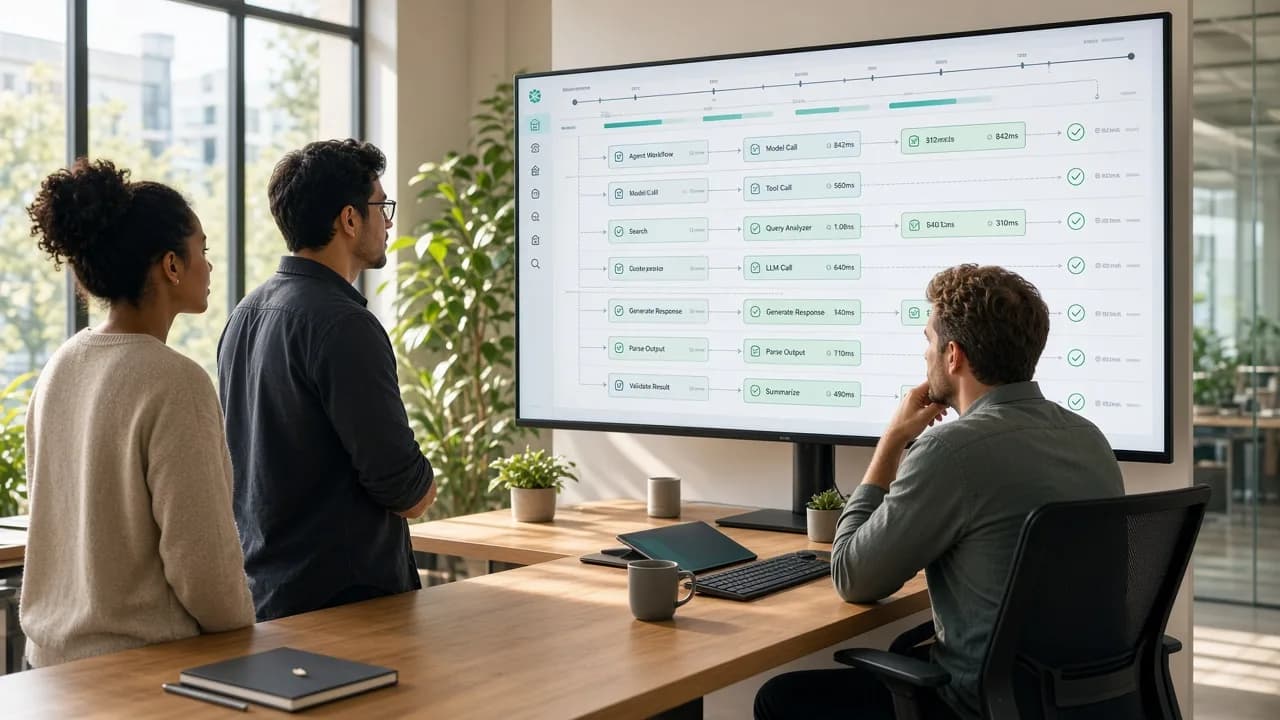
A detailed trace should connect the user's request with model calls, retrieved information, tool invocations, API responses, retries, and the outcome. This creates a timeline that developers can inspect when investigating failures.
Identify the Failure Layer
An incorrect result could originate from several places:
- The model misunderstood the request.
- Retrieval returned irrelevant information.
- A tool received incorrect parameters.
- An external API failed.
- A business rule was bypassed.
- The workflow entered an unnecessary loop.
Separating these layers makes troubleshooting more targeted.
Preserve Useful Context
Debugging becomes difficult when logs contain only the final response. Teams should capture relevant workflow state, tool names, execution status, and error information while avoiding unnecessary exposure of sensitive customer data.
Compare Successful and Failed Runs
Comparing a failed workflow with a successful execution can reveal differences in tool selection, retrieved data, execution time, or agent behavior.
Detect Loops and Repeated Actions
Agents can sometimes call the same tool repeatedly or continue a workflow without making meaningful progress. Iteration limits, timeout controls, and trace analysis can help identify these patterns.
Test Prompts and Workflow Changes
When prompts, models, tools, or orchestration logic are updated, teams should compare the new behavior against previous executions rather than relying only on manual testing.
Replay Workflows Safely
Where the architecture permits it, developers can replay representative workflows in a controlled environment to reproduce failures without affecting production systems.
Connect Errors to Business Outcomes
A successful API call does not necessarily mean the overall workflow succeeded. Debugging should ultimately determine whether the agent completed the intended business task correctly.
For organizations following structured software development services, AI-agent debugging should therefore combine application tracing, model evaluation, integration testing, and workflow-level analysis instead of relying on standard error logs alone.
Controlling Agent Behavior for Reliable and Predictable AI Systems
Observability becomes more valuable when it is connected to controls. Monitoring can show what an agent is doing, while runtime policies can determine what the agent is allowed to do and when human intervention is required.
Define Action Boundaries
Each agent should have a clear set of permitted actions. For example, a customer-service agent may retrieve order information but require approval before issuing a high-value refund.
Set Runtime Limits
Iteration limits, execution timeouts, token budgets, and tool-call limits can prevent agents from running indefinitely or consuming excessive resources.
Apply Policy Checks
Agent actions can be evaluated against business rules before execution. Policies may restrict certain users, tools, data sources, transaction values, or types of external communication.
Require Human Approval
High-impact operations can be paused for human review. Observability data gives the reviewer the context needed to understand what the agent attempted and why.
Monitor Anomalous Behavior
Unexpected increases in tool calls, repeated failures, unusual data access, or changes in execution patterns can trigger alerts or automated restrictions.
Introduce Automatic Fail-Safes
The system can stop an agent when predefined conditions are reached, such as repeated tool failures, excessive iterations, unauthorized requests, or policy violations.
Version Prompts and Policies
Prompts, system instructions, tools, and policies can affect agent behavior. Maintaining versions makes it easier to identify which change caused a behavior difference.
Track Overrides and Escalations
Human interventions, blocked actions, and policy overrides should be recorded. Frequent interventions may indicate that an agent needs better instructions, tools, or a narrower scope.
Example: Finance Workflow Agent
A finance agent could prepare a payment request after checking invoices and account information. Observability can record the supporting workflow, while a policy engine can require an authorized employee to approve the payment before execution.
For an AI agent development company, combining observability with runtime controls creates a feedback loop: teams can detect behavior, investigate it, and apply appropriate controls without relying entirely on manual supervision.
Key Metrics and KPIs to Track for AI Agent Reliability and Performance
AI agent observability should produce measurable signals that help teams understand reliability, efficiency, quality, and business performance. The right KPIs depend on the agent's purpose, but several metrics are useful across most autonomous workflows.
| Metric | What It Measures |
|---|---|
| Task Completion Rate | Percentage of workflows completed successfully |
| Task Failure Rate | Frequency of unsuccessful or abandoned workflows |
| Response Latency | Time required to produce a response or complete a task |
| Tool-Call Success Rate | Percentage of successful tool or API operations |
| Human Escalation Rate | How often workflows require human intervention |
| Model Usage | Tokens, model calls, and inference activity |
| Cost per Task | Average AI and infrastructure cost for each workflow |
| Error Rate | Frequency of application, model, or integration errors |
| Loop / Retry Count | Number of repeated or unnecessary workflow steps |
| Output Quality | Accuracy, relevance, and policy adherence |
Reliability Metrics
Task completion, failure rates, tool errors, and workflow interruptions help teams understand whether the agent is dependable in production.
Performance Metrics
Latency, workflow duration, and tool-response time can identify slow components. Monitoring these measurements helps teams determine whether delays originate from model inference, retrieval, APIs, or infrastructure.
Quality Metrics
An agent can complete a workflow technically while still producing an incorrect or unhelpful outcome. Quality evaluation should therefore consider factual accuracy, relevance, grounded responses, and successful task completion.
Cost Metrics
Track model calls, token consumption, API usage, and infrastructure costs. Comparing cost per successful task can reveal whether an agent is becoming more efficient over time.
Human Oversight Metrics
Escalation and approval rates can show where the agent requires additional support. A high intervention rate may indicate that the workflow needs better tools, clearer policies, or a narrower scope.
Security Metrics
Organizations can also monitor blocked actions, permission failures, unusual tool usage, and other security-related events to identify potential misuse or unexpected behavior.
Tools and Frameworks for Effective AI Agent Observability
AI-agent observability can be built using general telemetry standards alongside tools designed specifically for LLM and agent workflows. The right combination depends on the agent framework, infrastructure, data requirements, and level of evaluation needed.
OpenTelemetry
OpenTelemetry provides standardized telemetry concepts for traces, metrics, and logs. Its GenAI observability work is extending these conventions to AI models and agent workflows, helping teams collect more consistent telemetry across different frameworks and platforms.
Langfuse
Langfuse provides tracing and observability capabilities specifically for LLM applications. Its traces can capture model calls, tool executions, retrieval steps, latency, token usage, costs, and other workflow information. It also provides evaluation and agent-graph capabilities.
Agent Framework Instrumentation
Frameworks such as LangGraph, CrewAI, AutoGen, and other agent platforms can be instrumented so teams can observe workflow execution. OpenTelemetry's work on agent semantic conventions is intended to improve interoperability across different agent frameworks.
Standard Application Monitoring
Traditional monitoring platforms can still provide value for infrastructure, APIs, databases, cloud services, and application performance. These signals should be connected with AI-specific traces to create a complete view of the system.
Build a Unified Observability Layer
A mature implementation should connect model telemetry with application traces, tool calls, infrastructure metrics, security events, and business KPIs. This allows developers and operations teams to investigate an agent workflow from a single execution path.
Best Practices for Building an Effective AI Agent Observability Strategy
Effective observability should be designed into an AI agent from the beginning rather than added after deployment. The objective is to collect enough information to understand and control workflows without creating high cost, noise, or privacy risk.
Instrument the Full Workflow
Capture telemetry across user requests, model calls, retrieval, tool execution, APIs, workflow transitions, and outcomes. A complete trace makes failures easier to investigate.
Define Important Events Early
Decide which events are important before implementation. Examples include failed tool calls, policy violations, human approvals, workflow loops, authentication failures, and unsuccessful tasks.
Protect Sensitive Data
Observability systems can contain prompts, tool responses, customer information, and internal business data. Sensitive fields should be masked, filtered, encrypted, or excluded where appropriate.
Correlate Technical and Business Data
Connect agent traces with business outcomes such as successful resolutions, completed orders, or processed requests. This helps teams understand whether technical improvements actually improve agent performance.
Set Useful Alerts
Alerts should focus on actionable conditions such as rising failure rates, unusual tool usage, excessive latency, repeated workflow loops, or unexpected cost increases.
Establish Baselines
Measure normal agent behavior before setting aggressive thresholds. Baselines make it easier to detect meaningful deviations without generating excessive alerts.
Security and Compliance Considerations for AI Agent Observability
Observability can improve AI-agent security, but monitoring systems themselves can contain sensitive information. Prompts, tool responses, customer records, authentication details, and workflow data may appear in traces or logs if they are not carefully controlled.
Protect Observability Data
Access to logs, traces, dashboards, and evaluation results should follow appropriate authentication and authorization policies. Only users who need the information should be able to view it.
Minimize Sensitive Data
Teams should avoid recording unnecessary personal, financial, authentication, or confidential business information. Sensitive fields can be masked, filtered, or excluded from telemetry.
Secure Logs and Traces
Observability data should be protected through appropriate encryption, secure storage, access controls, retention policies, and monitoring.
Control Data Retention
Organizations should define how long prompts, traces, tool outputs, and workflow records need to be retained. Keeping everything indefinitely can increase storage costs and privacy risks.
Protect Credentials
API keys, access tokens, passwords, and other secrets should never be written into ordinary agent logs or traces. Secret filtering should be included in the observability pipeline.
Monitor Security Events
Observability can help identify unusual tool calls, repeated authorization failures, unexpected data access, suspicious workflow patterns, or attempts to bypass agent controls.
Maintain Auditability
For sensitive workflows, organizations may need records showing which user initiated an action, which agent handled it, which tools were called, and whether approvals were obtained.
Integrate With Existing Security Operations
Agent telemetry can be connected with existing security monitoring, incident response, and DevOps environments so that AI-related events are investigated alongside other application and infrastructure activity.
Organizations using AI consulting services can evaluate these requirements as part of the broader AI governance strategy and ensure observability improves visibility without becoming another source of security or privacy risk.
Common Challenges in AI Agent Observability and Monitoring
AI-agent observability can provide valuable visibility, but implementing it across autonomous workflows introduces its own technical and operational challenges.
Complex Execution Paths
An agent may call several models, tools, APIs, and retrieval systems during one task. Capturing these interactions as a meaningful trace can be more difficult than monitoring a conventional request-response application.
High Telemetry Volume
Autonomous agents can generate large numbers of model calls, tool calls, logs, and workflow events. Collecting everything can increase storage requirements and monitoring costs.
Sensitive Information in Telemetry
Prompts and tool outputs may contain personal, financial, or proprietary information. Teams need effective filtering and access controls to prevent observability systems from becoming a source of data exposure.
Measuring AI Quality
System health is relatively straightforward to measure, but response quality is more subjective. Businesses may need evaluation datasets, human review, automated quality checks, and task-specific metrics.
Rapidly Changing Agent Behavior
Changing a model, prompt, tool, retrieval source, or workflow can affect agent behavior. Observability systems need to make these changes visible so teams can identify performance regressions.
Distributed System Dependencies
An agent may depend on many external APIs and services. Determining whether a problem originated with the model, an integration, infrastructure, or business logic can require correlated telemetry across multiple systems.
Cost of Observability
Advanced tracing, evaluation, storage, and monitoring can add operational expenses. Businesses should balance the level of detail collected with the value that telemetry provides.
Limited Standardization
AI-agent observability is still evolving, and different frameworks and platforms may expose different telemetry models. Using standards such as OpenTelemetry can help reduce fragmentation where supported.
Operational Skills
Teams may need expertise across AI, application monitoring, distributed systems, security, and DevOps. Organizations may use DevOps consulting services to align agent observability with existing operational practices.
Conclusion
AI agent observability is becoming an essential part of operating autonomous workflows reliably. Monitoring model calls, tool usage, workflow steps, errors, costs, security events, and business outcomes gives teams the visibility needed to understand how agents behave in production.
Effective observability should go beyond traditional application monitoring by combining traces, metrics, logs, evaluations, and workflow-level insights. When connected with policies and runtime controls, it can also help organizations detect unusual behavior and intervene when an agent moves outside its intended boundaries.
Businesses should introduce observability from the early stages of AI agent development, protect telemetry data, establish meaningful KPIs, and continuously evaluate agent performance. A structured approach can help organizations improve reliability while gaining greater control over increasingly autonomous AI systems.
Frequently Asked Questions
What is AI agent observability?
It is the practice of monitoring an AI agent's decisions, tool calls, workflow steps, performance, and outcomes.
Why is observability important for AI agents?
It helps teams understand agent behavior, identify failures, improve performance, and control autonomous actions.
What should businesses monitor in an AI agent?
They should monitor model calls, tool usage, workflow state, latency, errors, costs, outputs, and business outcomes.
How is AI agent observability different from application monitoring?
Traditional monitoring focuses mainly on system and application health, while agent observability also tracks model behavior, tool selection, workflow decisions, and output quality.
Which tools can be used for AI agent observability?
Common options include OpenTelemetry, Langfuse, agent-framework instrumentation, and existing application-monitoring platforms.
Can observability help control AI agents?
Yes. Monitoring can be connected to policies, approval workflows, limits, alerts, and automatic fail-safes.
What are important AI agent KPIs?
Task completion rate, failure rate, latency, tool-call success, escalation rate, cost per task, and output quality are useful measures.